Your data. Your tenant. Your rules.
Parlé is built so an IT admin can say yes: sign-in through the identity provider you already run, files that stay inside your own Microsoft 365 or Google Workspace tenant, and a record of who did what that rejects ordinary updates and deletes, including from our own application; altering it would take a deliberate, privileged schema change.
Sign in the way your org already does
Enterprise SSO means one fewer password to manage and one fewer account to deprovision when someone leaves.
- check_circle Microsoft Entra ID single sign-on
- check_circle Google Workspace single sign-on
- check_circle Auto-provisioning by verified email domain — no manual account creation
- check_circle Org admins can require SSO and lock out password login entirely

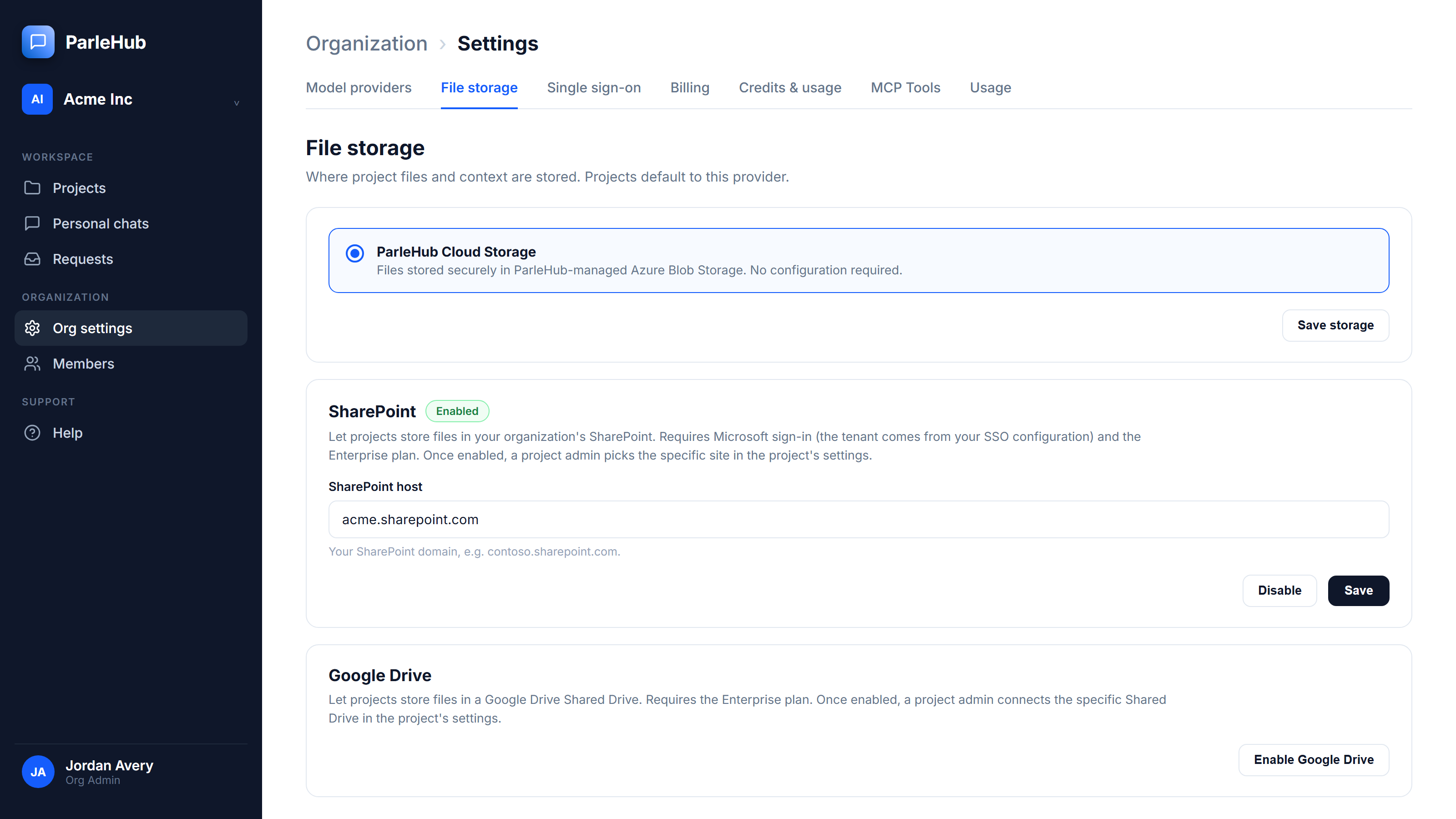
Files that never leave your tenant
Point a project at storage you already control instead of trusting another vendor with your documents.
- check_circle SharePoint (Microsoft 365) as project storage
- check_circle Google Drive (Shared Drives) as project storage
- check_circle Least-privilege access — scoped to the specific site or drive a project connects, not your whole tenant
- check_circle Prefer a fully managed option? Parlé Cloud storage is available on every tier
Roles that match how orgs are actually run
Clear roles, not a flat, all-or-nothing admin switch. Business Admins run agents, knowledge, project creation and budgets without ever touching keys, sign-in, storage or billing, and see a restricted project only if they are a member of it.
An audit trail built to be append-only
Every sensitive action — sign-ins, membership changes, budget edits, SSO configuration, model and storage changes — is written to an append-only audit log.
- check_circle Append-only enforcement at the core platform level, no app overrides
- check_circle No feature, including for a compromised Org Admin account, edits or deletes an entry; changing the record would take a deliberate, privileged change to the platform
- check_circle Org Admins on Business and above read, filter and export their organization's log as CSV or JSON
- check_circle Covers sign-ins, role & membership changes, budget edits, and SSO / model / storage configuration
Rows are only ever appended. UPDATE and DELETE are rejected at the core platform level, below the application. Altering the record would take a deliberate, privileged change, not an ordinary write.
The details you'd ask about in a security review
Denial-of-wallet protection
Rate limiting and bounded agent tool-call loops prevent runaway spend from a stuck agent.
Two-vault secret broker
Your provider keys are stored securely so a single compromised credential can't expose every customer's keys.
Managed-identity-first Azure auth
Minimal long-lived static secrets across SQL, Blob Storage, and Key Vault.
CSP, HSTS & secure cookies
Baseline security headers enforced on every request.